Tutorial
Most automation tools send lists as a single payload, which breaks the moment you need to enrich, score, or route each record individually. Datamorf's List Processing triggers your destination once per item, with built-in rate limiting, concurrency controls, and automatic retries. This is how you turn a batch of contacts or enrichment results into reliable, per-record workflows without writing custom loop logic.
When building workflows, you won’t always receive data as a single object. In many cases, your output will be a list of items.
For example:
You read a batch of
linkedin_urlsfrom a data sourceYou send a company to a prospection tool and receive a list of contacts
You enrich data and get multiple results back at once
In these situations, sending the entire list downstream as a single payload is rarely what you want. Instead, you typically need to process each item individually.
That’s exactly what List processing in Datamorf is designed for.
What is List Processing?
List processing allows you to take a list output from your workflow and trigger the destination once per item, instead of sending the full list in one request.
This works for:
Destinations to other Datamorf workflows
HTTP destinations
Each item in the list becomes its own execution, making your workflows more modular and scalable.
How to Enable List Processing
To process a list item by item:
Open your workflow or HTTP destination
Scroll to the bottom
Enable the List processing checkbox
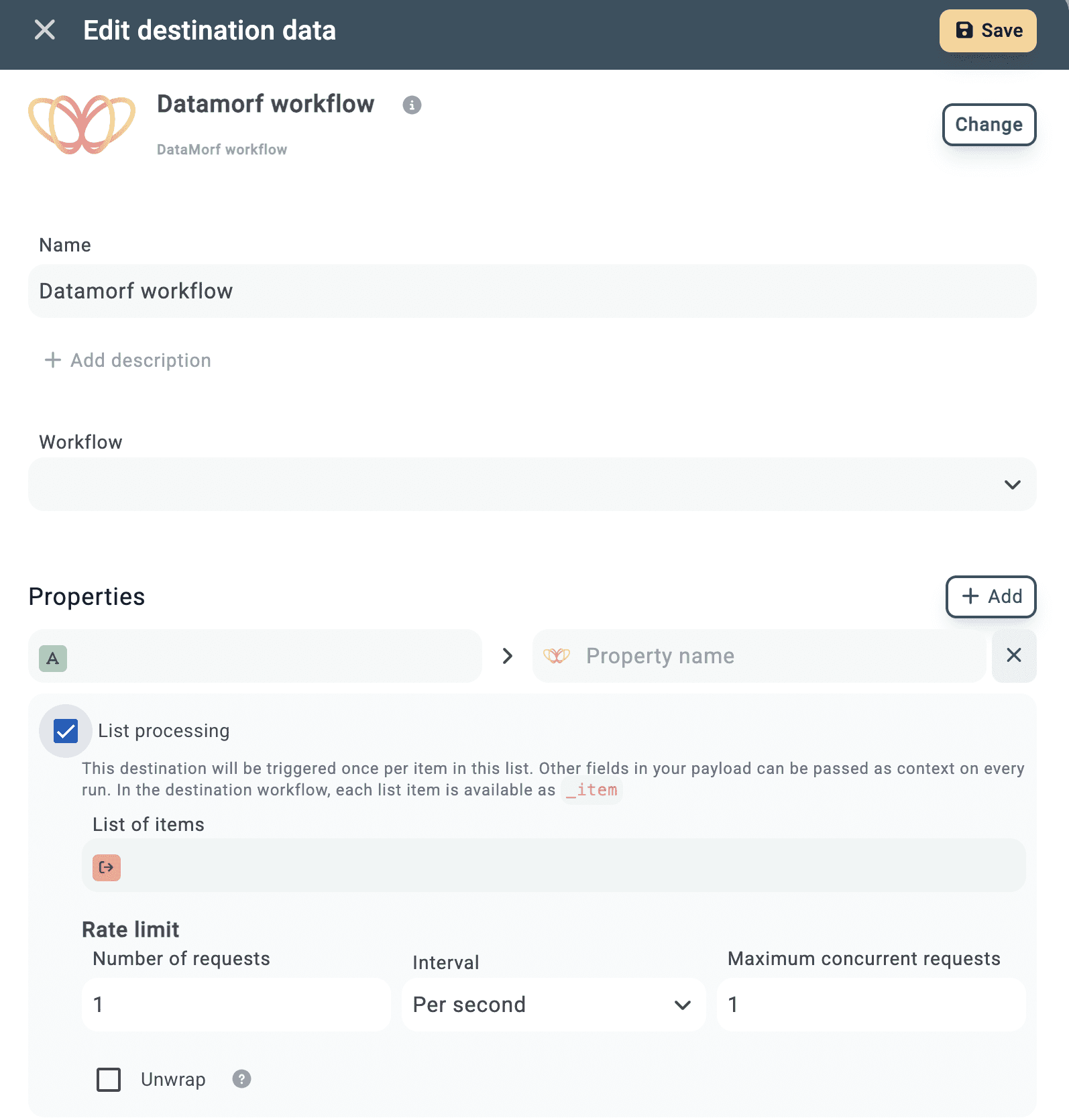
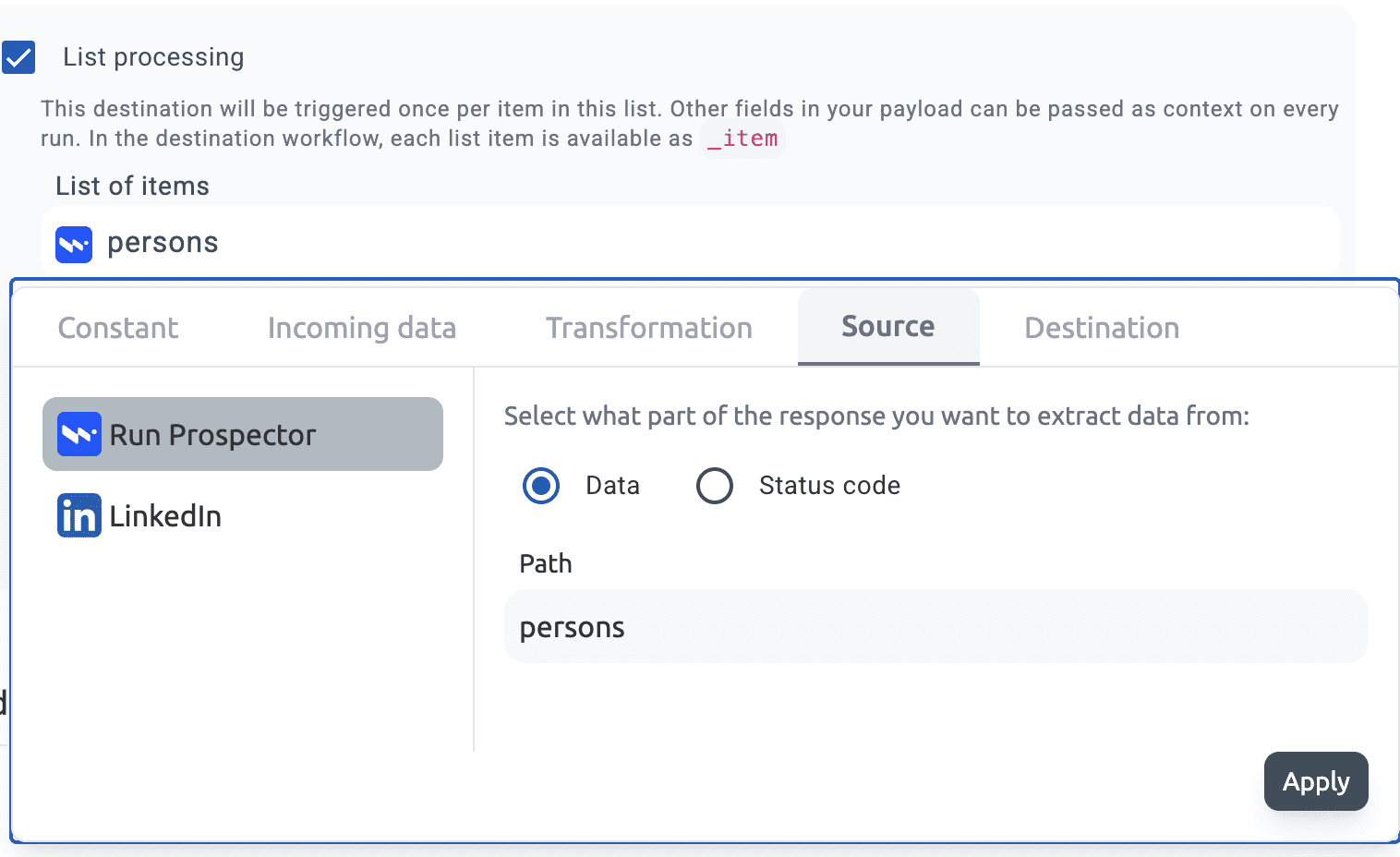
Define the path to the list you want to process in List of items
You’ll need to specify where the list comes from:
Incoming data
Sources
Transformations
Then provide the path to the list.
Example:
If you’re prospecting companies and want to process each contact returned:
What Happens When It Runs?
Once enabled:
The destination is triggered once per item in the list
Each run receives a single item as
_itemAny other fields in your payload are passed as context
This means you can combine per-item data with shared context (like company-level information).
Accessing Data in the Destination
Each list item is available under _item.
For example, if your list contains contacts:
You would access fields like this:
_item.first_name_item.last_name_item.email
At the same time, any additional fields (e.g. company_name) are available directly:
company_name
Using “Unwrap” for Simpler Access
If you prefer not to reference _item, you can enable Unwrap (available after selecting List processing).
This removes the _item wrapper and exposes the fields directly.
Before (default):
After (Unwrap enabled):
Now you can reference:
first_namelast_nameemail
Controlling Throughput and Concurrency
When processing lists—especially when calling external APIs—controlling request flow is critical.
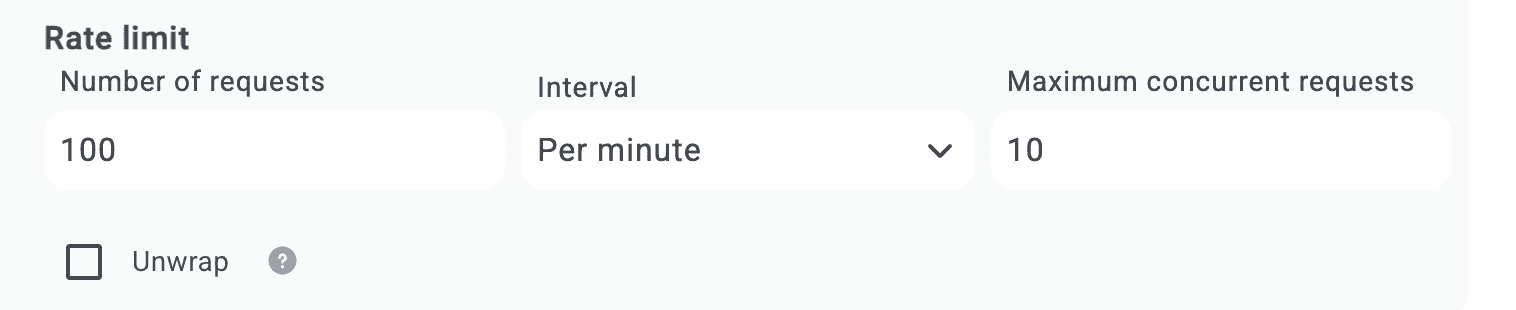
Datamorf provides built-in controls directly within List processing:
Rate limit
Set the Number of requests
Choose the Interval (per second, minute, or hour)
Maximum concurrent requests
Control how many items are processed in parallel
This allows you to safely integrate with APIs that enforce strict limits while maintaining performance.
Error Handling
List processing is designed to be resilient when working with large datasets.
Each item is automatically retried 2–3 times if it fails
If it still fails after retries, it is marked as an error
The workflow continues processing the remaining items
This ensures that a single failure doesn’t block the entire batch, which is especially important in large-scale prospection or enrichment workflows.
Share