Tutorial
In Datamorf, the trigger model is designed to be flexible, reliable, and compatible with a wide range of real-world automation patterns, from receiving webhooks to scheduled runs to reverse-ETL extractions. This article provides a clear overview of what triggers are, the different types available, and why they are essential for powerful data automation.
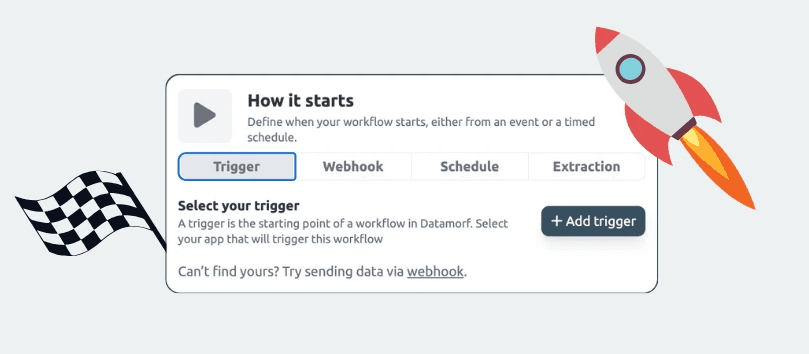
Triggers are the entry point of every workflow in Datamorf. They determine when and how a workflow begins, defining the moment in which data flows into the platform and starts its Extract → Transform → Load sequence. Although triggers are just one of the four components of a workflow, they play a critical role in ensuring automation happens at the correct time, with the correct data.
1. What is a Trigger?
A trigger defines how a Datamorf workflow starts. Every workflow requires at least one trigger mechanism to begin processing data. Depending on your setup, a trigger may:
Fire automatically when an integrated service detects an event.
Activate when an external system sends an HTTP request to a workflow-specific webhook.
Run on a predefined schedule.
Launch upon receiving records from a Datamorf Extractor (reverse ETL).
Once the trigger activates, the incoming payload becomes the workflow’s “recent input,” forming the basis for subsequent data sourcing, transformations, and destinations.
2. Types of Triggers in Datamorf
Datamorf supports four different trigger categories. Each one addresses a different automation need and integration scenario.
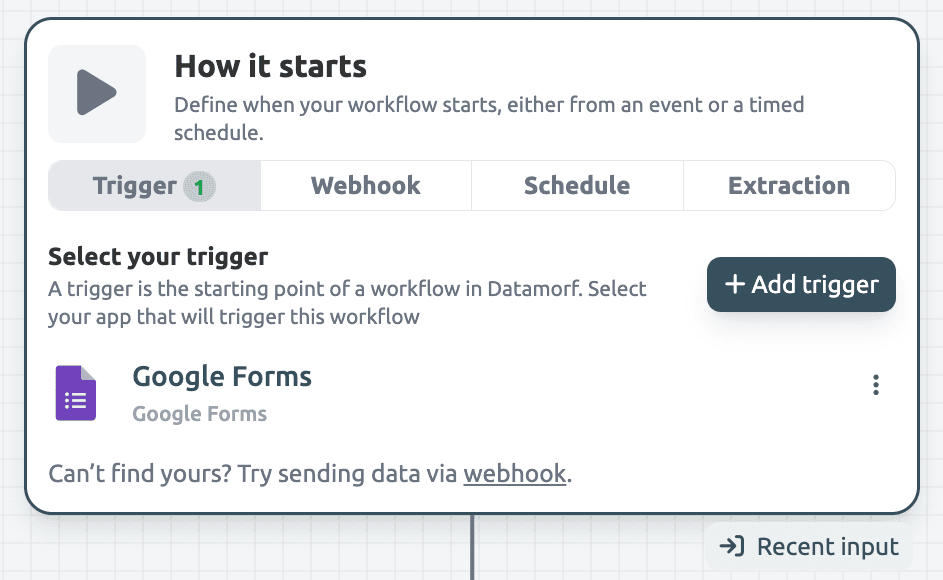
Native integrations
Some platforms can connect directly with Datamorf through native integrations, allowing workflows to run the moment an event occurs. In these cases, Datamorf handles the entire connection setup. Users do not need to configure webhooks manually or generate API credentials, the trigger is created automatically.
This is the most convenient method because the integration itself pushes the event to Datamorf. While not the most common trigger type, it offers a frictionless experience where available.
Strengths
Zero setup for the user.
Seamless event-driven automation.
Fully managed by Datamorf.
Limitations
Only available for specific integrations supported by Datamorf.
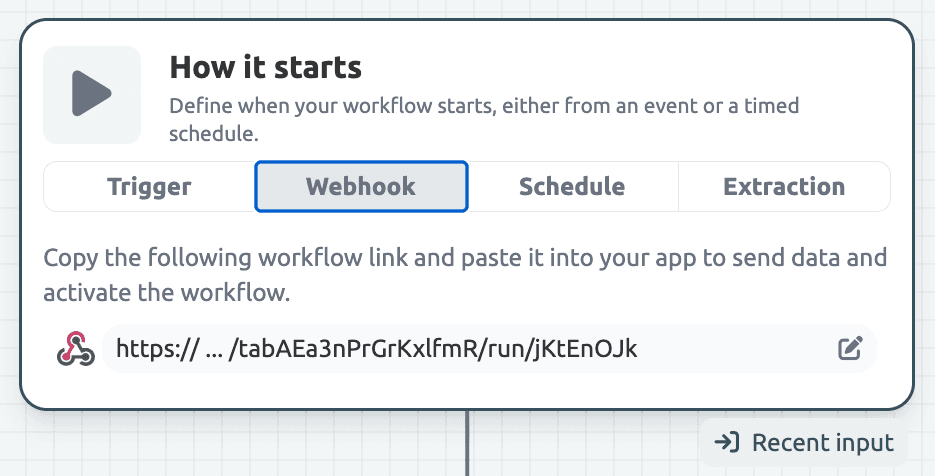
Webhook Trigger
The webhook trigger is the most universal and flexible. Every workflow in Datamorf automatically provides a unique HTTP endpoint. Any external system can start a workflow by sending a POST request to this URL. You can optionally pass a data payload, which becomes part of the workflow’s input.
Strengths
Works with any system capable of making HTTP requests.
Best option for event-based automation.
Fully customizable payload structure.
Limitations
Requires configuration on the external system to send data to Datamorf.
Data quality depends on the incoming webhook payload.
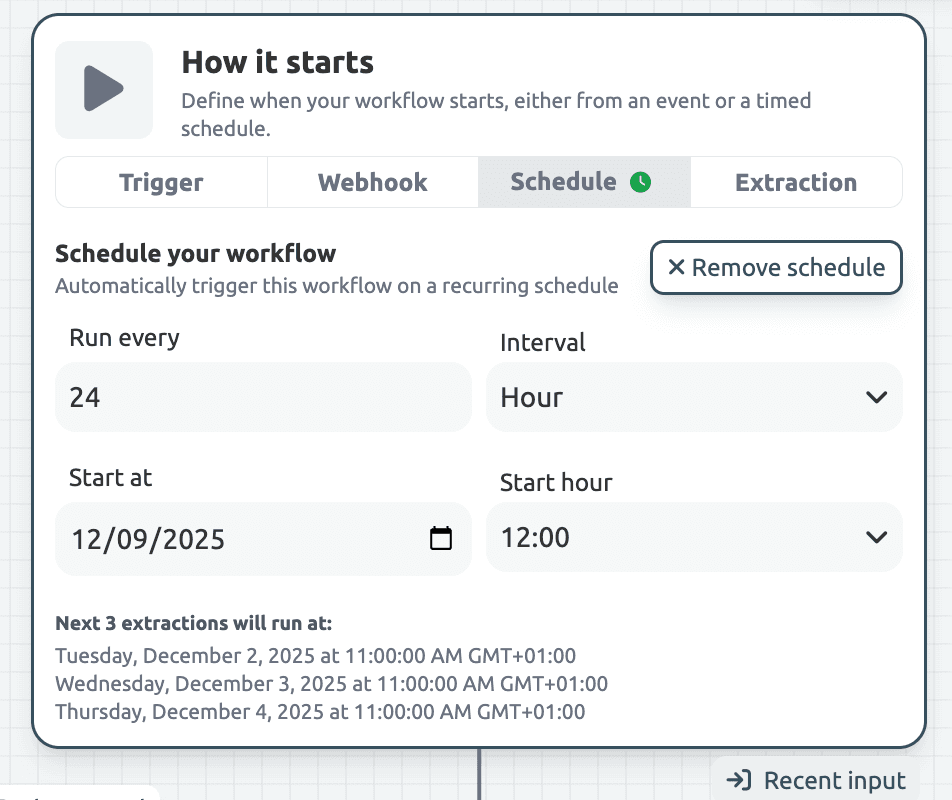
Schedule Trigger
A scheduled trigger runs a workflow periodically: every hour, daily, weekly, or at any interval supported by the platform.
This is ideal for automations that don’t depend on real-time events.
Strengths
Fully automated; no external system needs to call Datamorf.
Good for predictable, recurring data workflows.
Limitations
Not suitable for instant event-driven use cases.
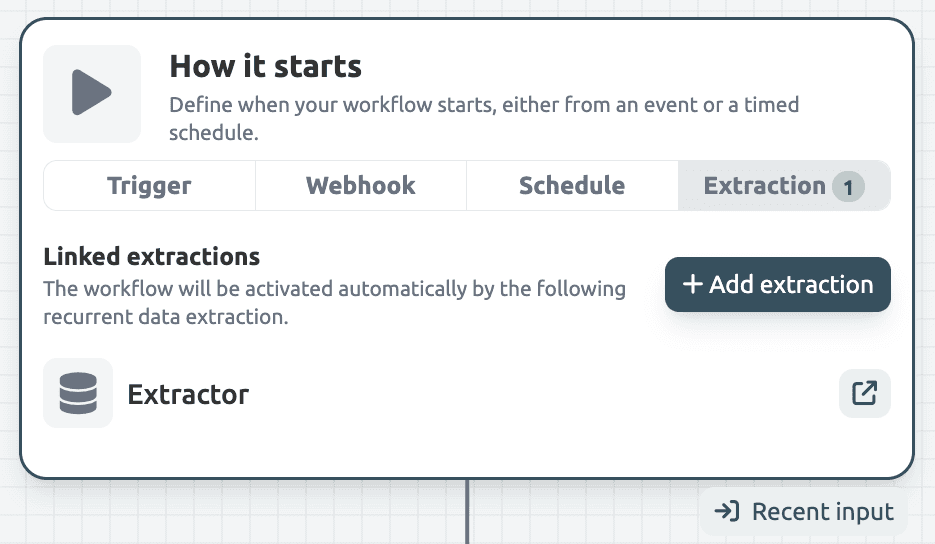
Extractor Trigger (Reverse ETL)
The Extractor module acts as a specialized trigger mechanism. Instead of waiting for events or external requests, the Extractor pulls data from CRMs, databases, spreadsheets, or SaaS tools on a schedule and activates a workflow for each record or batch of records.
How it works
The Extractor runs on a schedule (hourly, daily, etc.).
It fetches records from an external platform with filters and limits.
Each record (or batch) becomes a trigger payload for the target workflow.
The workflow processes the data normally, including transformations and destinations.
Strengths
Simplest way to keep internal systems synchronized with SaaS platforms.
Fully managed pagination, filtering, concurrency, and metadata.
Eliminates the need for custom scripts or cron jobs.
Enables full reverse ETL in a unified interface.
Limitations
Best suited for periodic syncs, not real-time event streams.
3. The Power of Triggers
Triggers are not merely workflow starting points, they define Datamorf’s flexibility and scalability. Their real power lies in how they integrate into the entire workflow architecture.
Unified data automation model
Regardless of the trigger source; webhook, schedule, integration, or Extractor; the workflow follows the same 3-step model: Extract → Transform → Load. This consistency keeps workflows easy to learn, maintain, and audit.
Event-based, scheduled, and reverse ETL automation
Few platforms combine triggers for inbound events, outbound scheduled tasks and inbound reverse ETL sync. It’s an all in one system. In Datamorf, each of these can activate the same workflow architecture, creating a powerful automation layer that adapts to any integration pattern.
Perfect chaining
Triggers can activate:
a workflow,
which activates another workflow,
which sends webhooks to external systems,
which may trigger further flows.
This makes Datamorf effective for multi-stage pipelines and backend-like orchestration.
Integrates cleanly into existing systems
Developers can trigger Datamorf via a simple POST request. Non-technical teams can rely on schedules or built-in integrations. Data teams can use Extractor for reverse ETL. All teams benefit from one consistent workflow environment.
Conclusion
Triggers are the backbone of Datamorf workflows. Whether activated by integrations, webhooks, schedules, or Extractor, they define the moment automation starts and determine how data enters the pipeline. The variety of trigger types allows Datamorf to support real-time workflows, periodic batch jobs, and reliable reverse ETL, all with predictable pricing and a unified interface.
By understanding how triggers work, users can design automations that are more reliable, efficient, and aligned with their operational needs. In Datamorf, triggers set the stage, the platform handles the rest.
Share